

 English


















































































































































































































































































































































































































![swimsuit edition [abbb] - 1.20 21 swimsuit edition - chapter](https://mymagazine.blog/wp-content/uploads/2025/09/swimsuit-edition-abbb-1.20-21-swimsuit-edition-chapter1-1024x574.webp)





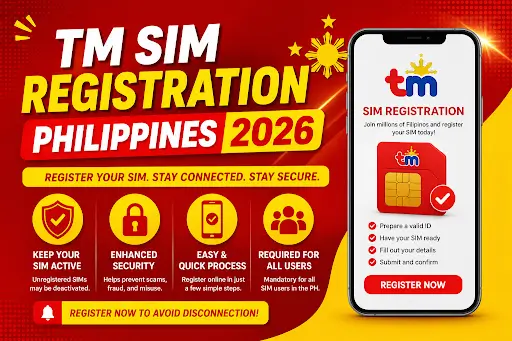
Smart SIM Registration 2026

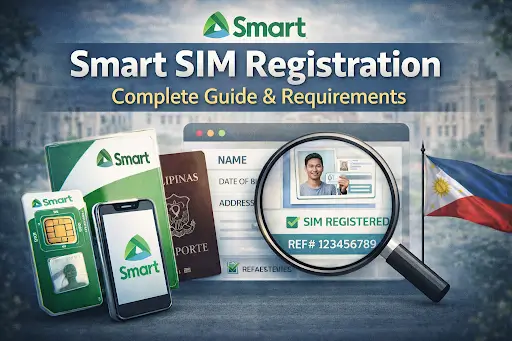
If you are using a Smart SIM in the Philippines, Smart SIM registration is mandatory under the SIM Registration Act. This law requires all mobile users to register their SIM cards to prevent fraud, improve security, and ensure accountability.
If your Smart SIM is not registered, it may be deactivated, which means no calls, no texts, and no mobile data. This guide explains everything you need—from requirements to step-by-step instructions—so you can complete your registration without any issues.
What is Smart SIM Registration?
Smart SIM registration is the process of linking your SIM card to your personal identity. This helps reduce scams, spam messages, and illegal mobile activities.
Smart Communications requires all users to complete this process to keep their SIM active.
Who Needs to Register?
Smart SIM registration applies to all users, including:
- Prepaid Smart users
- Postpaid subscribers
- TNT (Talk ‘N Text) users
- Smart Bro WiFi users
- Tourists and foreign nationals
- Corporate SIM users
- Minors (via parent or guardian)
If you are using a Smart SIM, registration is required.
Smart SIM Registration Requirements
Before starting, prepare the following:
Required Information
- Full name (as per ID)
- Date of birth
- Address
- Active Smart mobile number
Accepted Valid IDs
- Passport
- National ID
- Driver’s License
- UMID
- Voter’s ID
Additional Requirement
- Clear selfie holding your ID
Tip: Make sure all details match your ID exactly to avoid rejection.
How to Register Smart SIM (Step-by-Step)
Follow these steps carefully:
Step 1: Visit the Official Website
Go to the official Smart SIM registration portal.
Step 2: Enter Your Mobile Number
Input your Smart number and ensure your SIM is active.
Step 3: OTP Verification
Enter the One-Time Password (OTP) sent via SMS. Do not refresh the page.
Step 4: Fill Personal Details
Enter your correct name, date of birth, and address. Ensure accuracy.
Step 5: Upload ID and Selfie
Upload a valid ID and a clear selfie holding the ID.
Step 6: Submit and Save Reference Number
Submit your application and save your reference number for tracking.
Processing Time
The form takes around 5–10 minutes, while verification may take up to 72 hours.
Other Ways to Register Smart SIM
You can also register using alternative methods:
Via Mobile App
Use the Smart app (if available) to complete registration easily.
Visit Smart Store
Go to the nearest Smart store if:
- You have no internet
- You face technical issues
- You need assistance
Bring a valid ID and required documents.
Special Cases Explained
Minors
SIM must be registered under a parent or guardian with supporting documents.
Foreigners
Provide passport and valid travel or visa documents.
Postpaid Users
Most postpaid SIMs are already registered, but confirmation is recommended.
Common Problems and Fixes
Problem: OTP not received
Cause: Weak signal
Solution: Retry or move to a better signal area
Problem: ID rejected
Cause: Blurry image
Solution: Upload a clearer photo
Problem: Pending status
Cause: Verification delay
Solution: Wait 24–72 hours
Problem: SIM already registered
Cause: Duplicate entry
Solution: Visit a Smart store
What Happens If You Don’t Register?
If you fail to complete Smart SIM registration:
- Your SIM will be deactivated
- You will lose calls, SMS, and data access
- You may face inconvenience in using services
Registering your SIM early helps avoid service interruption.
Tips for Successful Registration
- Use a stable internet connection
- Double-check all details before submitting
- Do not refresh during OTP verification
- Upload clear and readable images
- Save your reference number
FAQs
Is Smart SIM registration free?
Yes, it is completely free. Do not pay any third-party service.
Can I register multiple SIMs?
Yes, but each SIM must be registered separately.
How long does verification take?
It usually takes a few hours up to 72 hours.
Can I update my details later?
Yes, updates can be made through official Smart platforms.
Final Thoughts
Smart SIM registration is simple but essential. Most issues occur due to small mistakes like incorrect details or unclear images.
By following the correct steps and providing accurate information, you can complete your registration without any problems.
Register your Smart SIM today to stay connected and avoid service interruptions.
For More Visits: Mymagazine